
Have You Ever Sent an Email Message and Regretted It?
Maybe you were angry and responded hastily with words you wished you could take back. Maybe you addressed the email message to the wrong person, and it contained confidential information. Maybe you forgot to write all the information you wanted to. Or maybe the email contained mistakes you wanted to edit.
DelayGuard lets you change your mind even after clicking send. It keeps email messages in your Microsoft Outlook outbox folder for a set number of minutes before actually sending them out.
Delay Delivery of Email Messages with DelayGuard
- Maintain professionalism and
accuracy:
DelayGuard holds back your emails for a set period instead of sending messages immediately. This
gives you time to rewrite or cancel emails if you change your mind.
- Stop confidential information from
leaking:
Configure DelayGuard based on your preferred protection level. Delay delivery of all emails,
emails to certain domains, or all emails outside of your company's domain.
- Send messages immediately when it matters: While you can set up DelayGuard to automatically delay delivery, you can still send urgent emails instantly, ensuring important information gets out ASAP.
Features of Our Microsoft Outlook Mail Delay Software
DelayGuard is part of SendGuard, providing intelligent Outlook protection with configurable email delays and other essential security features.
Automatically Delay Outgoing Emails
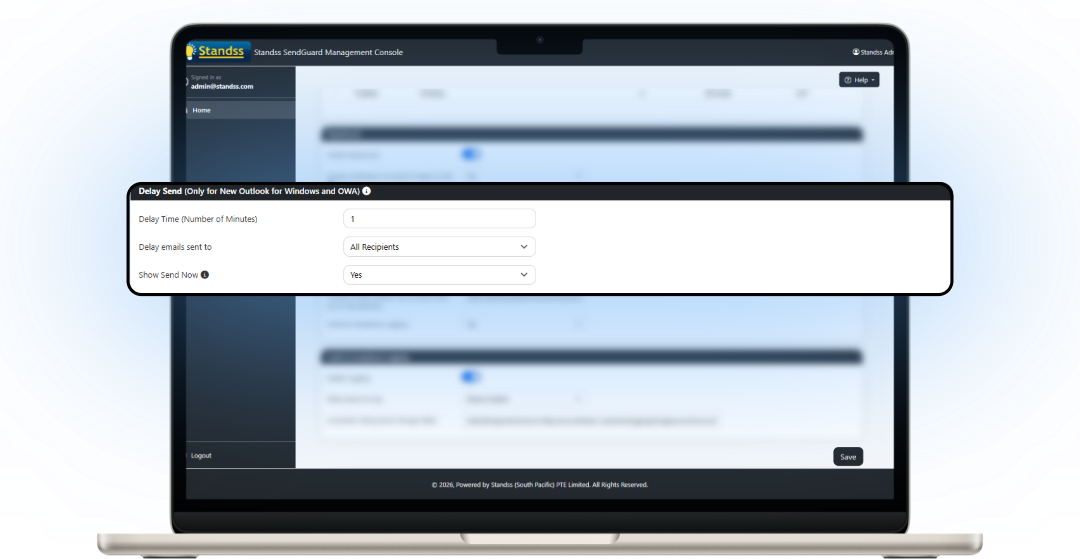
Configure DelayGuard to automatically hold every email for a set number of minutes, giving you time to review, edit or cancel messages before they're delivered.
Send Emails Instantly When Needed
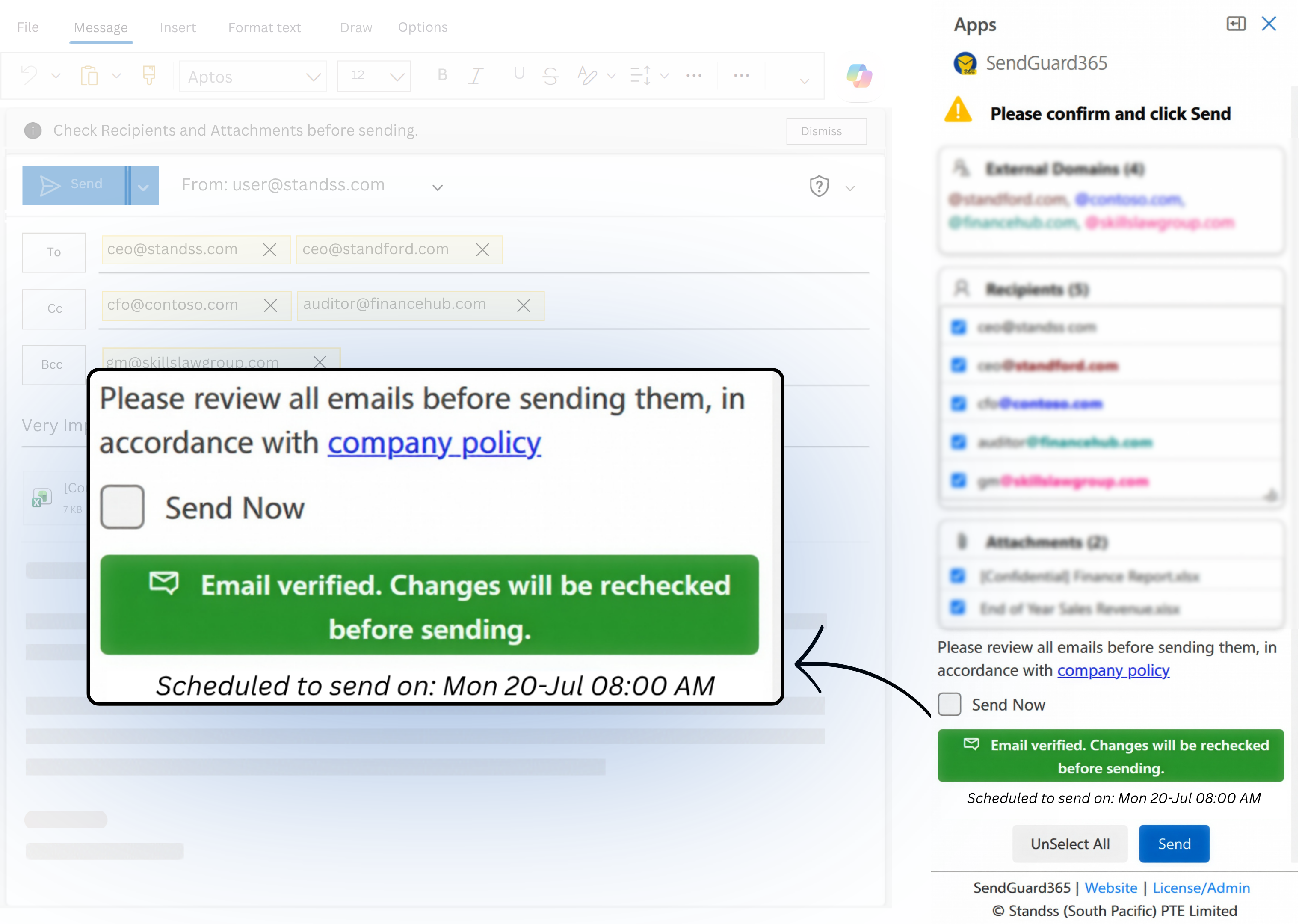
Need to send an urgent email? Simply click Send Now to bypass the delay and send your message immediately.
Configure Which Emails Are Delayed
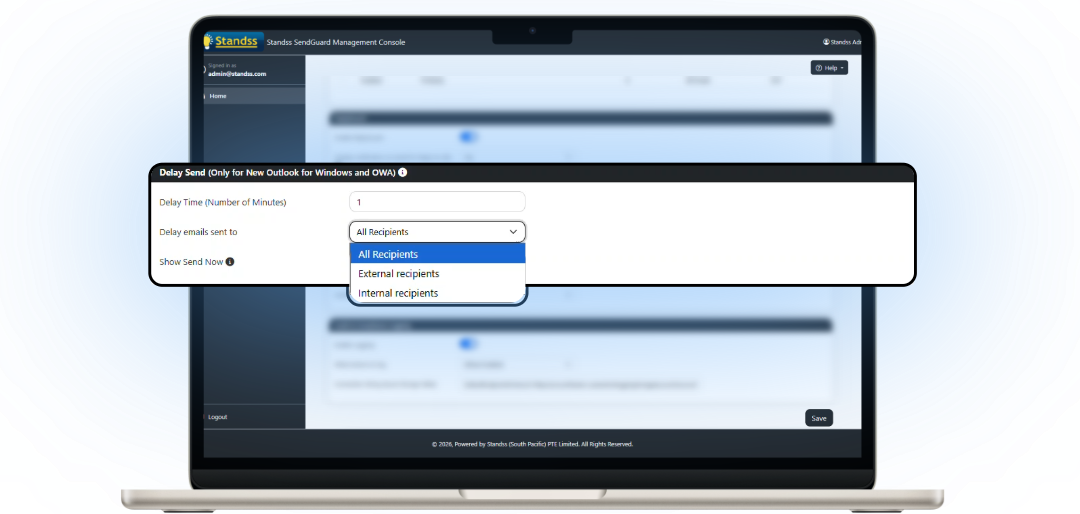
Delay every email, only external emails, or messages sent to selected domains to match your organization's requirements.

Built for Enterprise Deployment & Administration
Deploy and manage DelayGuard across your organization with centralized administration tools designed for IT teams.
- ✓ Deploy with preset settings using a customized MSI
- ✓ Hide the Settings screen from end users
- ✓ Deploy using GPO, SCCM, msiexec or your preferred deployment tool
- ✓ Update settings centrally using supplied ADMX/ADML templates
- ✓ Simplified MSI + registry deployment for smaller networks
- ✓ Request the Administrator Guide
How to Delay Sending Emails in Outlook with DelayGuard
After installing SendGuard, a confirmation dialog box appears for DelayGuard. Here, you can set up how long you want your emails to be delayed. DelayGuard will then automatically delay delivery of all future emails unless you check the Send Now button. Want to delay mail to specific recipient domains or make exceptions for your own company's domains? Simply adjust the options in the SendGuard settings found in the Outlook ribbon.

Now Works With New Outlook and Outlook Web Access (Office 365)
DelayGuard lets you delay messages in Outlook 365 (Outlook Web Access), New Outlook, and Outlook Desktop. The New Outlook and OWA versions retain the reliable functionality of the desktop version with its most essential features. DelayGuard can be centrally deployed and managed by your Microsoft Office 365 Administrator.


Trusted Software from a Microsoft Partner
Standss has been providing Outlook-based solutions to businesses since 2002. Our developers and support team have experience with both Outlook and NetDocuments and are ready to serve you today.

Buying for Your Team?
Volume discounts are available. Contact our sales team for a quote now.
Contact SalesWhat Our Customers Are Saying About DelayGuard for Outlook
... offers timely and responsive support of every product they have created. Every company should strive to deliver customer and tech support the way this company does.
- Dennis M. Najjar, CPA,Co-Founder, AccountingDepartment.com, LLC
I'm confident that there is a tool that takes care of the most stupid mistakes I could make in my daily business life
- Jürgen Haas
Frequently Asked Questions about DelayGuard for Outlook
If you can’t find the answer to your question below, you may find more information in our expanded product FAQs or in our Documentation and Knowledge Base section.