-
Single User/General Installation
-
Small Networks Installation with Customized Settings
-
Enterprise Deployment and Administration
-
How does SendConfirm work?
-
Setup when you want to see SendConfirm Prompt
-
Choosing between type of Prompts (Productivity vs Security)
-
How does Reply Guard work?
-
Setup when you want to see Reply Guard Prompt
-
Disable Reply-All and Forward on Sent Emails
-
Include Attachments in Reply/Reply All & Include Original Recipients in Forward
Contents
Reply Guard
prompts users and gets them to confirm recipients when they do Reply
Alls (or Replies on emails with multiple recipients). Recipients can
be changed directly from the prompt. It also has a number of
additional productivity and security features for Reply-Alls and
Replies on emails with multiple recipients.

Reply Guard also lets you:
- Configure when to display Reply Guard Prompt.
- Include attachments in Reply/Reply All & include original recipients in Forward.
- Configure the words on the prompt and link to corporate policies.
- Display your logo in the prompt.
How does Reply Guard work?
- Click to Reply/Reply All/Forward on an email with multiple recipients.
- Reply Guard prompt will display to get your confirmation before displaying Reply/Reply All/Forward screen or inspector.
Configuring Reply Guard via the Portal
Setup when you want to see Reply Guard Prompt
- Log in to the SendGuard portal.
- Go to the Com-Addin Settings section.
-
Click on the Reply Guard tab.
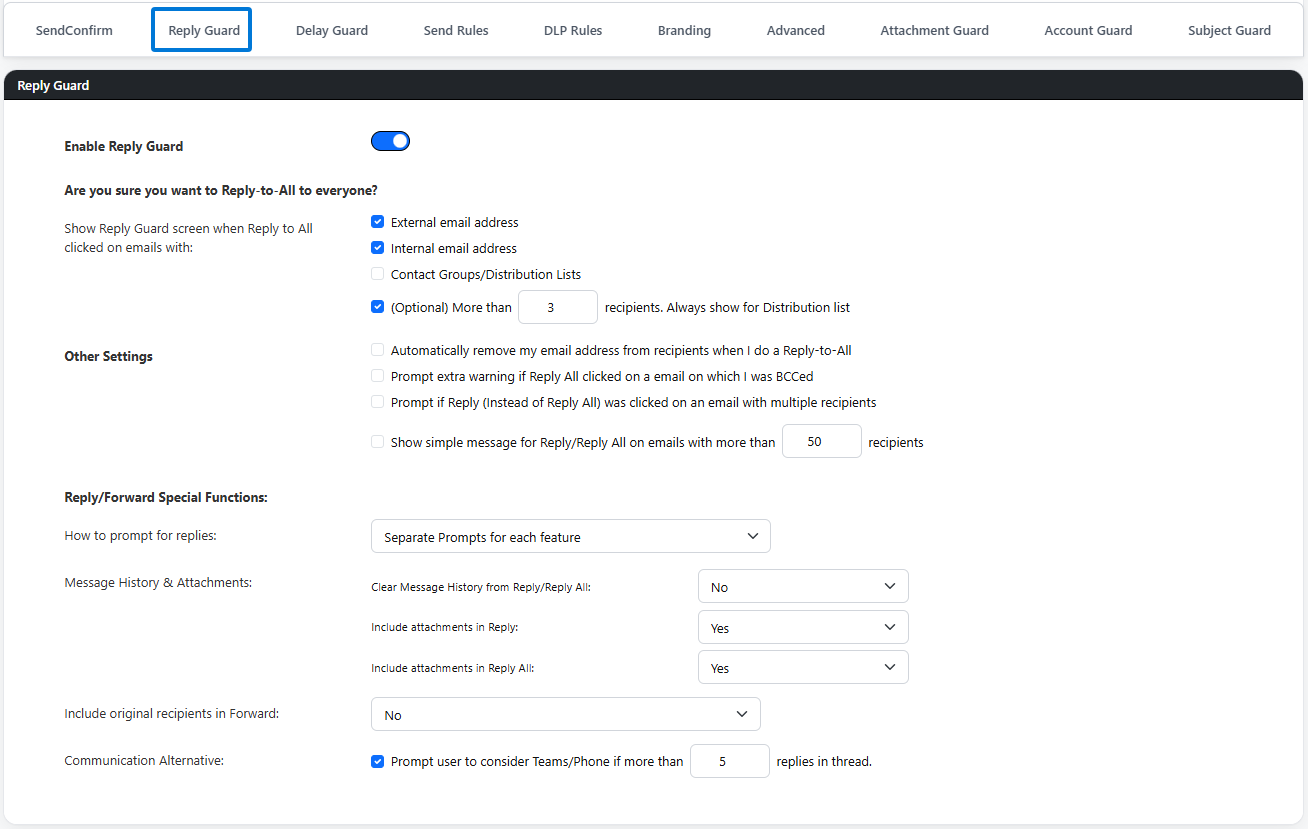
- Set up your preference and click Save.
Configuring Reply Guard via Outlook
Setup when you want to see Reply Guard Prompt
- Open Outlook.
- Click on the Standss Outlook Addins tab on the ribbon.
- Click on SendGuard and then click Settings to open the Settings screen.
-
Click on the Reply Guard tab.

- Setup your preference and click OK.
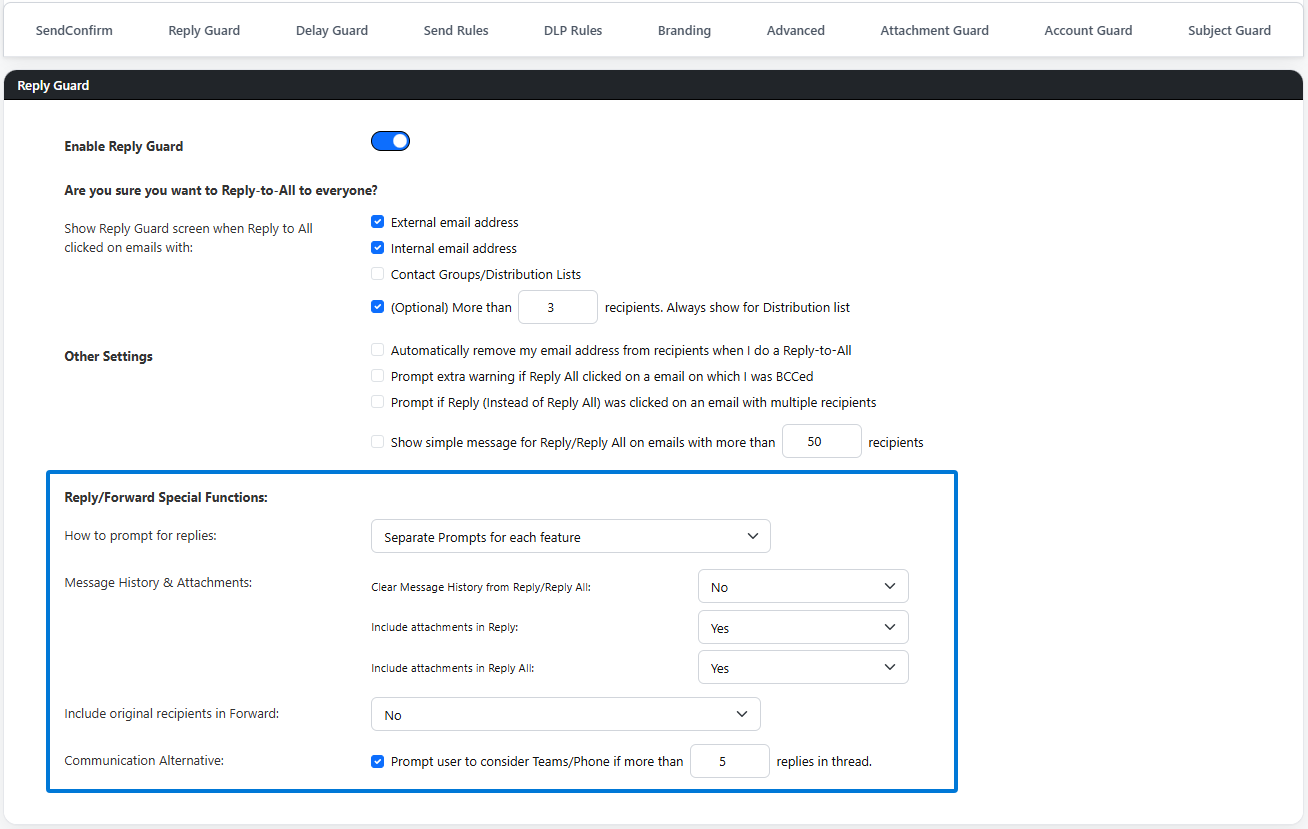
Include Attachments in Reply/Reply All & Include Original Recipients in Forward.
When you normally do a Reply or Reply All on an email, any
attachments from the original email are not included with the Reply.
You can configure Reply Guard to either attach the files
automatically or prompt you to attach.
Portal:
Outlook:

- For each of the above settings, choose to either get a prompt or include, or not include attachments (or recipients for Forwards).
- Set up your preference and click Save in the portal, or OK in Outlook.
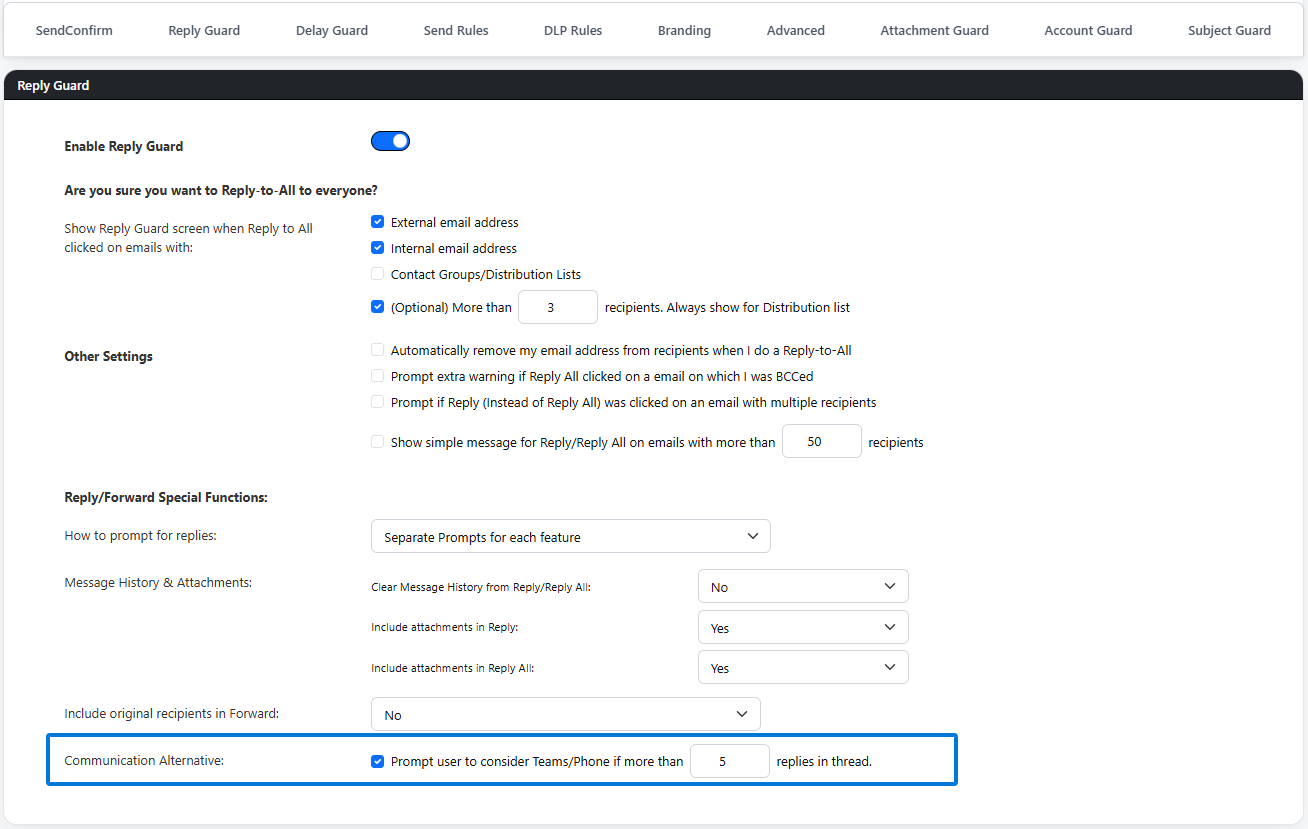
Prompt users to consider Teams or a phone call if an email thread has more than X replies
Reply Guard has a new feature that displays a message when a user clicks "Reply" or "Reply All" on an email thread that has exceeded a certain number of replies, as shown below:

This feature is controlled via the settings screen as shown below:
Portal:
Outlook:

This prompt text is customizable and this is directly set in the registry key using the RGTooManyRepliesPromptText registry key.

30 Days Money Back Guarantee
We are so confident about our software, that we offer a 30-day money-back guarantee! This way, you can try SendGuard without risking a cent of your money. If you aren’t satisfied for any reason, or it doesn’t live up to your expectations, you won’t be out one red cent. Just e-mail us and we’ll refund your entire payment. Right up to the final day of your 30-day guarantee. No Questions Asked!

Buying for your team?
Volume discounts available, contact our sales team for a quote now
Contact Sales